


Astrospheric
4.3339.00 Reviews
App Specs
- Version
- 15.1.0
- Updated On
- License
- Free
- Downloads
- 100,000+
- Developer
- Daniel Fiordalis
- Categories
- Weather
- Platform
- Android
Screenshots
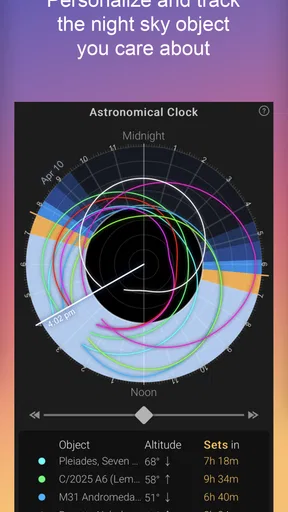
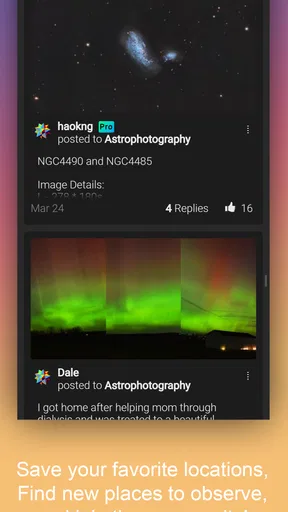
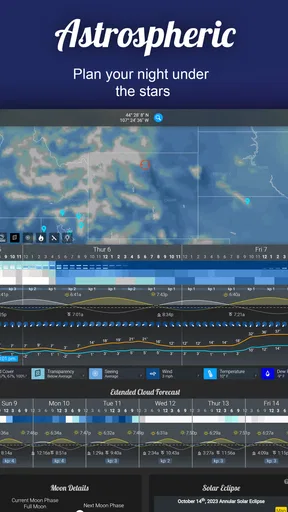
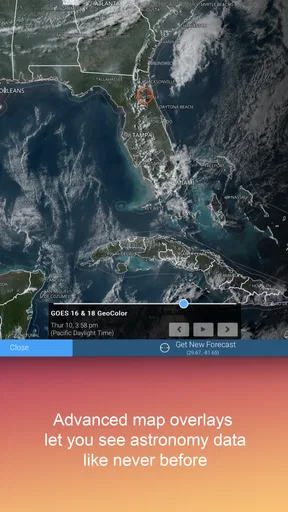
 Analysis by AppCompare
I think a dedicated astronomy forecast is most useful when it changes a real decision: whether to carry a telescope outside, drive to a darker spot, or save a clear evening for another night. Astrospheric is built around that kind of planning rather than everyday questions like whether to bring an umbrella. That focus makes it valuable for observers, though it also means it is not the weather app I would recommend to everyone.
A forecast aimed at the view, not just the weather
Astrospheric is a free weather app from developer Daniel Fiordalis, with optional in-app purchases ranging from $0.99 to $29.99 per item. It has a 4.4 average from around 750 ratings, and more than 50,000 installs. Those figures suggest a focused audience rather than a mass-market forecast tool, which fits what the app is trying to do: help North American astronomers judge whether conditions are promising for observing.
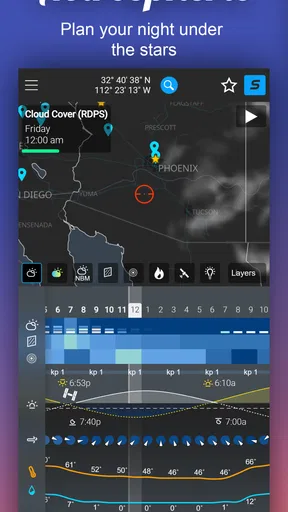
The difference matters because an ordinary forecast can say the sky will be mostly clear without answering whether the atmosphere is likely to cooperate with a telescope. Astrospheric brings astronomy-oriented conditions into the planning process, including cloud cover, transparency, and seeing. I find that more useful than relying on a single “clear” label, especially when the aim is to decide whether a planned session is worth the effort.
That extra detail does not make a forecast a guarantee. Conditions can change, and a promising outlook is still only a guide. I treat it as a way to compare possible nights and locations, then keep some flexibility rather than assuming a forecast will hold perfectly once I am outside.
Planning a session without overcomplicating it
The app’s appeal is not only the number of conditions it presents, but how they can help with practical choices. If I have only a short window after dinner, I can check whether it is worth setting up close to home. If I am planning a longer observation session, I can weigh more factors before committing to the trip. Wind, humidity, and smoke are useful additions to the sky-focused information because they can affect comfort and visibility even when clouds are not the main concern.
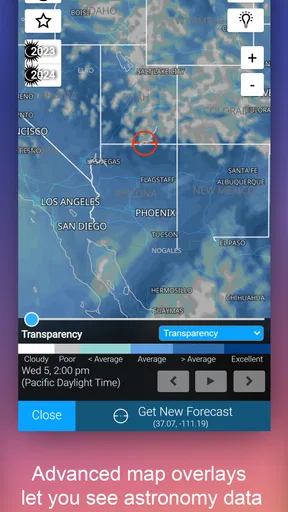
A useful habit is to compare the forecast for more than one plausible observing spot before leaving. Astrospheric’s map overlays make that easier than switching between separate local forecasts: I can look at conditions across an area and consider whether a nearby alternative might be better. That is especially practical when a small change in location could matter more than simply waiting for a different hour.
I would still use a familiar general-purpose weather app for routine errands. Astrospheric is the more relevant check when the question is “Will this be a worthwhile night for observing?” rather than “What should I wear on the school run?” Keeping those jobs separate helps avoid expecting a specialist tool to replace every feature of a daily forecast.
Worth Reading Before You Choose

EA SPORTS FC Mobile 26 Is a Bigger Football Game, but It Takes Time

Flipboard Shows What News Apps Must Do Beyond the Feed

Switching to Android Auto Means Rethinking Your Driving Routine

Google Calendar Makes a Crowded Week Easier to Manage

Ludo King Makes the Most of the Minutes Between Plans

Baby Panda World Brings Quick Play to Modern Phones, but Its Game Library Feels Busy
Maps and alerts are most useful when you plan ahead
The map can show cloud cover, smoke, and other atmospheric conditions over your location and beyond. I see its strongest use in comparing areas before a drive, rather than treating it as a reason to chase every apparent gap in the clouds. A map gives helpful context, but it cannot remove the uncertainty involved in traveling for a view that depends on changing weather.
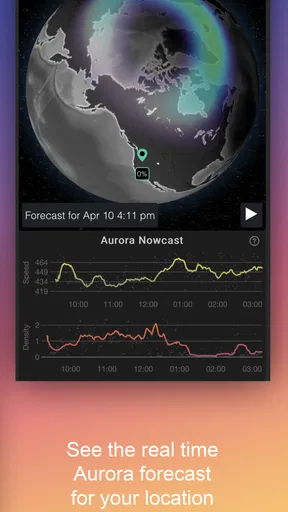
Alerts can also make the app more useful between checks. Instead of repeatedly opening a forecast, I can set a notification to flag conditions that meet my observing plans. The practical trade-off is that alerts work best when I have a clear idea of what counts as a worthwhile window. A very broad preference may not help much, while a more specific one can make notifications more relevant to the way I observe.
For a realistic example, imagine I have a telescope ready for a weekend evening but do not want to haul it outside unless the sky looks promising. I would check the astronomy conditions earlier, compare my home area with another possible spot on the map, and use an alert as a reminder to look again closer to the time. That workflow does not promise a perfect night; it helps me make a better call without spending the whole day refreshing several weather apps.
Good fit for observers, not a universal forecast
I would recommend Astrospheric to people who already make plans around looking at the sky, from casual telescope owners to more committed amateur astronomers. It is particularly well suited to anyone who needs to compare atmospheric conditions rather than settle for a basic cloud forecast. The app is rated for Everyone, and its current version is 14.5.5, with Android support starting at version 5.0.
By contrast, someone who only wants a quick temperature and rain check may find the astronomy-specific focus unnecessary. A regular weather app is usually the simpler choice for commuting, gardening, or deciding whether to take a coat. Astrospheric’s specialist outlook becomes worthwhile when details such as transparency and seeing can change what you plan to observe or whether you set up at all.
There is also a learning curve in knowing how to use several kinds of conditions together. More information is not automatically a clearer answer, and a newcomer may need time to understand which factors matter most for their equipment and plans. I would start by checking the forecast alongside actual observing results, then learn which parts have the greatest effect on my own sessions instead of trying to interpret every layer at once.
What the free and paid options mean in practice
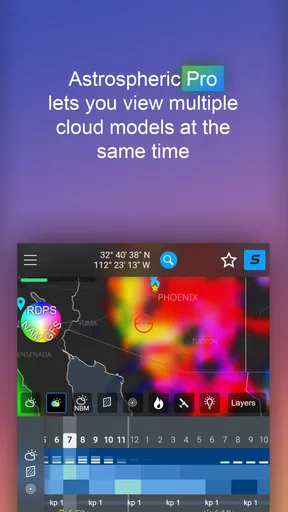
Astrospheric is free to install, with in-app purchases available. The app presents a premium option for people who want more detailed data and extended forecasts, while the free version already covers the central planning purpose. I would begin with the free experience and only consider paying if I regularly observe and can identify a specific extra detail or longer planning horizon that would change my decisions.
That is a useful distinction for occasional stargazers: a paid tier is harder to justify if you only take a telescope out a few times a year. Frequent observers may value additional forecast depth, but the sensible test is whether it helps you choose a better night or location, not whether more information sounds appealing in principle. With per-item purchases spanning $0.99 to $29.99, I would check the purchase options carefully before choosing anything.
The app also includes group and sharing features, which can help turn a forecast into a shared plan. For a small local observing group, exchanging observations or organizing an outing can make coordination easier than sending scattered messages. Still, someone who prefers a private, solo routine can treat those social tools as optional rather than a reason to use the app.
Getting Started with Astrospheric
First off, downloading Astrospheric is a breeze. Available on both Android and iOS, the app is quick to set up, and you'll be navigating the cosmos in no time. The interface is pretty intuitive. Even if you're not a tech wizard, you'll find your way around easily.
Once you have it up and running, you'll notice its sleek, dark-themed design, which is easy on the eyes, especially when you're out in the dark. The app offers a plethora of features, but don’t worry, I’ll break it down for you.
Weather Forecasting for Stargazers
One of the standout features of Astrospheric is its detailed weather forecasting. It's not your everyday weather app; this one is designed with astronomers in mind. You get information on cloud cover, transparency, and seeing conditions. This is gold when you're planning to set up your telescope and don’t want to be surprised by unexpected clouds.
It also provides data on wind speeds, humidity, and even smoke forecasts, which can be crucial if you're planning an observation session in certain areas. The app pulls data from several sources, ensuring you get a comprehensive weather outlook. I found it incredibly reliable for planning my night outs.
Map Features and Alerts
Another feature I love is the map overlay. You can visualize cloud cover, smoke, and other atmospheric conditions over your location and beyond. This is particularly useful if you're planning a trip and want to check conditions in multiple areas.
Plus, the app allows you to set alerts. Imagine getting a notification when the sky is clear and perfect for stargazing! It’s like having a personal assistant keeping an eye on the sky for you.
Community and Sharing
Astrospheric also taps into the community aspect of stargazing. You can join groups or create your own, share observations, and even plan group observation events. This social feature adds a layer of fun and engagement to the app, making it not just a tool but a hub for enthusiasts.
I've joined a few local groups, and it's fascinating to see photos and discussions pop up about the latest celestial events. It’s like having a mini-astronomy club in your pocket.
Customization and Extras
The app allows for a fair bit of customization. You can adjust the map settings, choose which overlays you want to see, and even customize alerts to suit your specific needs. It's these little touches that make the app feel personal and user-friendly.
For those serious about their stargazing, there’s a premium option that offers even more detailed data and extended forecasts. While the free version is already pretty robust, the premium features are worth checking out if you're a frequent observer.
Final Thoughts
Overall, Astrospheric is a must-have for anyone interested in astronomy. It turns your smartphone into a powerful tool for planning and enhancing your stargazing experiences. With its comprehensive weather data, map features, and community aspects, it's like having a personal meteorologist, event planner, and astronomy club all rolled into one.
Whether you're a casual observer or an amateur astronomer, Astrospheric brings the stars a little closer to home. So, grab your telescope, download the app, and get ready to explore the night sky like never before. Happy stargazing!
Pros
- Highly accurate weather forecasts.
- Detailed astronomical data included.
- User-friendly interface design.
- Customizable alerts for conditions.
- Comprehensive cloud cover maps.
Cons
- Limited offline functionality.
- Subscription required for full access.
- Some features are region-specific.
- Occasional slow loading times.
- Minimal tutorial for new users.
FAQs for Astrospheric
What is Astrospheric and who is it for?
Astrospheric is a specialized weather forecasting app designed for astronomers and astrophotographers. It provides detailed, location-specific forecasts, including cloud cover, transparency, and seeing conditions ideal for stargazing and astrophotography. Whether you're a professional astronomer or an amateur stargazer, Astrospheric offers precise and reliable data to enhance your celestial observations.
How accurate are the weather forecasts provided by Astrospheric?
Astrospheric utilizes data from NOAA’s NCEP models, known for their accuracy in weather predictions. The app offers granular forecasts specific to your location, including cloud coverage, transparency, and seeing conditions. While weather forecasting involves inherent uncertainties, Astrospheric's use of advanced models ensures high reliability for astronomical purposes.
Can I customize alerts and notifications in Astrospheric?
Yes, Astrospheric allows users to set up custom alerts and notifications based on specific astronomical conditions. You can tailor these to notify you about optimal stargazing conditions, such as clear skies or low humidity, ensuring you never miss a chance to observe celestial events under the best conditions.
Is Astrospheric available for both Android and iOS?
Astrospheric is available on both Android and iOS platforms, ensuring a wide range of users can access its features. The app is designed to provide a seamless experience across devices, allowing astronomers and stargazers to get accurate weather forecasts and alerts regardless of their preferred mobile operating system.
Does Astrospheric require a subscription for full access?
Astrospheric offers both free and premium subscription options. The free version provides essential features, while the premium subscription unlocks advanced tools and more detailed forecasts. Users can choose based on their needs; the premium version is ideal for those requiring in-depth data for professional or frequent observations.


